Amplify Screening: Job Field Selection for Generating Questions
Amplify Screening
What’s new?
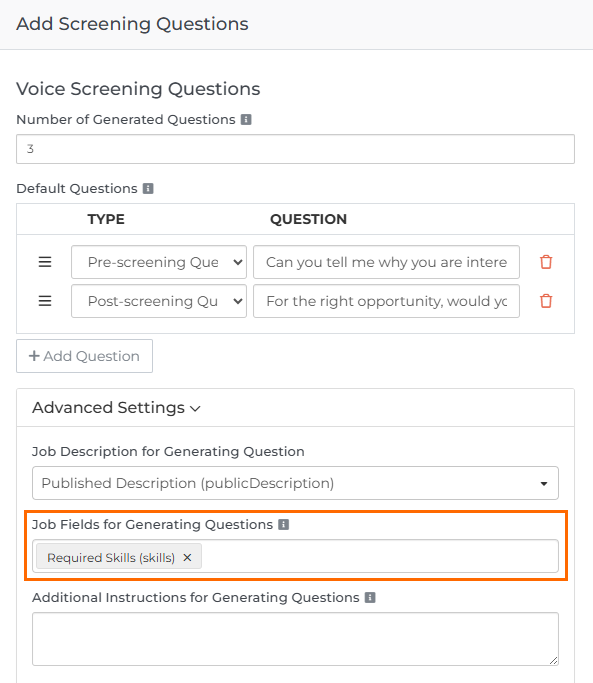
You can now select additional job record fields, beyond the job description, to generate screening questions. Required Skills is selected by default, but you can add other fields for more tailored and relevant questions.
Why does it matter?
This gives you more control over how screening questions are generated and allows you to provide more context to the LLM, helping it create more tailored questions for each role.
How do I enable this?
This update is automatically available for all customers using Amplify Screener with Bullhorn Automation Amplify Edition. To use it, open the Add Questions automation step, expand Advanced Settings, and enter your chosen fields in the Job Fields for Generating Questions field.
This is part of the BHA R2025.8.2 release. Click here for release calendar details.
Was this helpful?